理解System.getProperty的用途和应用
Java编程语言中,System类是一个重要的工具,它提供了与系统相关的一些功能。通过调用System.getProperty方法,可以获取关于当前运行环境的信息。这包括操作系统名称、用户目录、Java版本等关键信息,这对开发者在进行跨平台应用时尤为重要。
如何使用System.getProperty
要使用System.getProperty,需要传入一个字符串作为参数,该参数对应于所需信息的键。例如,要获取当前操作系统的名称,可以这样写:
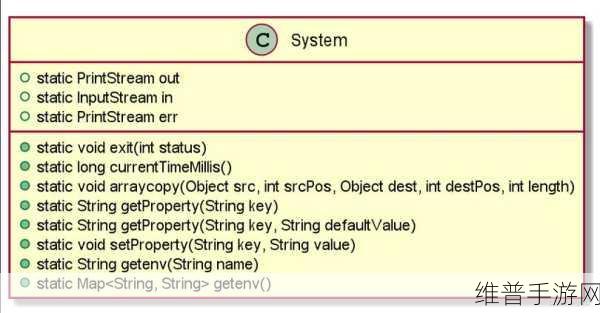
String osName = System.getProperty("os.name");该语句将返回如“Windows 10”或“Linux”等具体值,便于程序根据不同的平台执行相应的逻辑。此外,还可以用类似的方法获取其他类型的信息,如用户主目录、Java运行环境版本等。
常见属性及其含义
User.dir:代表当前工作目录。当需要读取配置文件或者访问资源时,此属性非常有帮助。
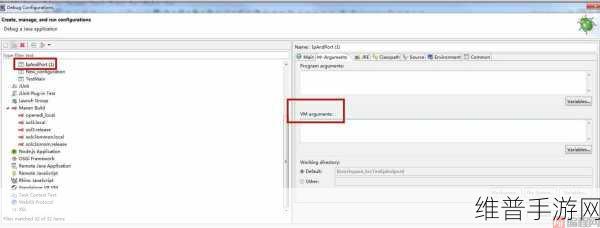
String userDir = System.getProperty("user.dir");This returns the path of the current working directory, making it easier to manage file paths in your application.
Main OS properties such as "os.version" and "java.version" allow developers to adapt their code based on specific environment conditions. For instance:
If (osVersion.contains("Windows")) { ... }Error Reporting with Properties Information
Error handling can benefit from using system properties. By logging relevant information about the execution environment at runtime, developers can diagnose issues more effectively. For example,将以下代码放入异常处理块中:
// Log error details
logger.error("Error occurred on OS: " + System.getProperty("os.name") + ", Java Version: " + System.getProperty("java.version"));
The Importance of Cross-Platform Compatibility
Coding applications that work seamlessly across various operating systems is a significant challenge for many software engineers. Leveraging tools like System.getProperty helps identify environmental differences so adjustments can be made accordingly, enhancing compatibility without extensive rewrites.